
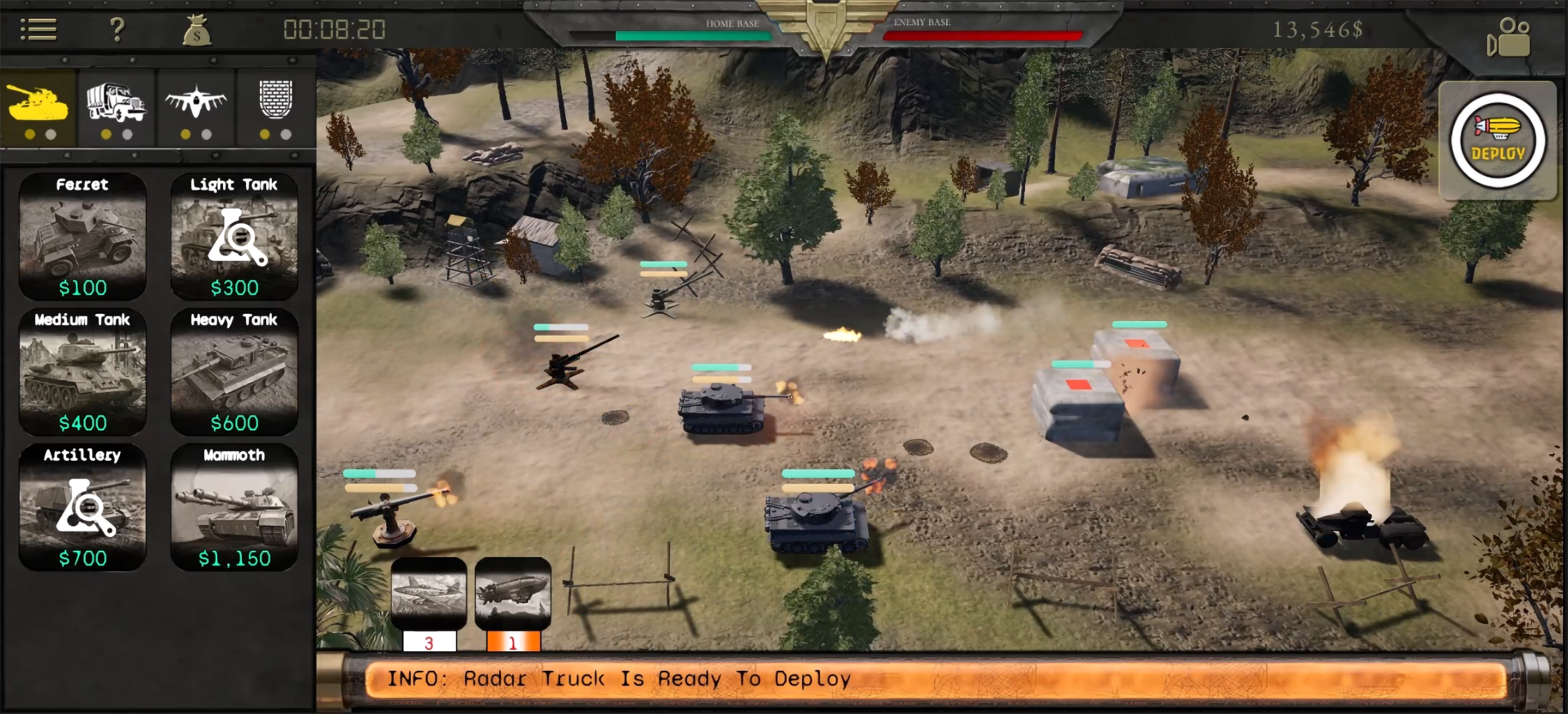
This one’s all about polish — a visual overhaul, performance improvements, and quality-of-life fixes across the board.
From Sprites to Steel: The Evolution of Global Ordnance
Global Ordnance: The Iron Fist has been through three major visual overhauls on its way here. It didn’t start this way — early plans had the game a lot simpler, leaning toward low-poly models, maybe even 2D sprites. That version never made it to a screenshot, but the game’s very first UI did survive, and it’s a fun reminder of how far the project has come.

As you can see, the icons looked nothing like they do now — clunky, rough around the edges, honestly a little ugly. But at that point, Global Ordnance wasn’t even projected to reach a wider audience. It was just for the two of us, and for that, it worked perfectly fine.
That’s when Vika stepped in — she took one look and called it “unsightly.” So she set out to make the UI look better, even though at the time it was just the two of us playing.
Here’s how Global Ordnance’s UI looked across updates from v0.92 to v1.12:

This version was available at launch. You can easily see how much the UI has changed — we added a timer and an FPS counter. What you might not have noticed is that we switched the main camera from perspective to orthographic. We also moved to Forward Shading, since it’s lighter on resources. Together, these changes brought a significant boost to the game’s performance.
This is how the game will look from now on:

This update wasn’t just aesthetic — it was also aimed at improving performance. Previously, we used a landscape with a landscape material in Unreal Engine. That works great for PC games, but it consumes more resources than we can afford on a mobile phone. The final version is actually a plane with very few faces and a single material.
Sadly, this implementation forced us to disable the cinematic camera. We’re currently looking into solutions — we promise, the cinematic camera will be back!
We sincerely hope you find the choices we made pleasing.
Plus Selection Mode
When we asked around on several forums, RTS veterans usually pointed out that mobile RTS games lack hotkeys and quick-selection features. That’s genuinely annoying when you’re playing an RTS, isn’t it? We thought about it and came up with the following multi-touch quick-selection implementations. But that wasn’t enough.
In this update, we’re adding a new way to select units collectively. Now, you can first tap the plus sign in the bottom-left corner of the screen, then tap units on the battlefield to add them to your selection. From there, you can issue collective commands like move, attack, or stop.

BTW, we also fixed a bug in the existing collective selection mode: if any of the selected units were destroyed, the game would deselect all the other units in the group. The same thing happened if any unit crossed the threshold. That obviously wasn’t intended, so it’s fixed now.
Unit Mesh Update
This week, we put in serious work reducing the poly count of our meshes. Some units were sitting at around 50k faces — way too heavy for a mobile game. We’ve brought the average down to roughly 10k faces per unit, and the payoff is real: Global Ordnance runs noticeably smoother as a result. You won’t notice any visual changes in units as you look at them from a bird’s-eye view.
Visual “Thresholders”
There’s an invisible line that triggers when a player’s or an enemy’s units cross the threshold. That’s when the game knows appropriate damage needs to be dealt to the HQ, based on the unit that just crossed. Now we’ve added a visual representation of that: in the left and right corners of the battlefield, we’ve added a generator that flashes light each time a unit passes the threshold — red if it’s an enemy unit, green if it’s the player’s.

We’re experimenting with night maps — the lighting effects look genuinely stunning once the level goes dark, so expect “time-of-day” features down the line. And as always, these won’t be purely cosmetic. Accuracy will drop for units firing in low light, for instance. Or, once an ice biome level is added, the ice will hold stronger at night, taking more punishment before it finally cracks under a heavily armored unit.
Less ADs = More FUN!
If you win the match, no AD for you, Mister!
Less ADs = More FUN!
Heavy Tank now does more damage to HQs. It was 17.5%. Now it’s set to 24%. So, four Heavy Tanks and something tiny beyond the enemy threshold win you a match.
What’s Next?
Next week’s focus is split between new maps and further performance work. We’re also chipping away at single-use Aircraft upgrades behind the scenes — no promises on timing, but it’s on the way.
Global Ordnance: The Iron Fist is FREE TO PLAY on Google Play.
Every update to Global Ordnance: The Iron Fist is free. Play it on Android · v1.11 devlog · v1.14 devlog · The full unit roster
Get the next update before you open the game
Global Ordnance ships an update most weeks — new units, new mechanics, and the exact numbers that changed. Every devlog goes straight to your inbox the day it lands. No other mail, unsubscribe in one click.