


Global Ordnance: The Iron Fist is a free WWII-style real-time strategy game built for your phone: tap, deploy and push the front. Update 1.23 brings the biggest change since launch: you can give orders with your voice, tilt the phone to move your armor, and call map squares by name. A new boot camp with Hawk teaches all of it. And then the toys. Two new units join your army, a heavy tank with two turrets and a scooter that should not be carrying a bazooka but does. A concrete wall you can hide behind. And the big bomb now leaves a mark on the world that does not go away.
One thing before the new toys. We keep hearing that a real-time strategy game on a touch screen is a compromise. We do not buy it. You have no mouse and no keyboard, true. You have ten fingers, and the game is built around them: tap to pick, tap to send, two hands on the front at once. It is not a smaller version of the PC experience. It is a different one, and we intend to make it just as sharp.
01 · VoiceTalk to your army
There is a microphone button on the battlefield now. Tap it and the game listens: the music dips but keeps playing, and it comes back the moment your order lands. Say “all armor, advance”, “everyone stop”, “launch the bomber”, “build a heavy tank”, and it happens. No menus. No typing. Your voice is the hotkey. The first time you tap the mic, Sabrina briefs you once on how it works, and a Don’t show this again switch keeps her quiet after that.
The recognition runs on your phone, offline. Nothing you say leaves the device, and by default we keep nothing. If you would rather use your phone’s own speech service, there is a switch for that in Settings. Voice control ships as a beta: it will mishear you now and then, especially with an accent. The next update makes it better with your help: a Help improve Voice Control switch will let the game send us the words it heard, as text and never your voice, so every missed order becomes a word it knows. Until then, the switch is there, and nothing leaves your phone.
Orders it knows well todayRadio log, HQ. Say it as written, or your own way.
- “all armor, advance”, “everyone, stop”, “heavy tanks, advance”, “Ferrets, hold”: move or hold a group, or every unit of one type.
- “research the heavy tank”, “build a Ferret”, “deploy the Cremator at B2”: production and placement, no menu.
- “launch the bomber”, “airstrike the strongest tank”, “airstrike C8”, “air patrol”, “launch the V2 at D4”: the sky.
- “change targets”, “hold fire”, “auto fire off”, “detonate”, “full throttle”: the fight.
- “install camouflage on the medium tank”, “upgrade the Tsar”: the workshop.
- “select the Ferrets”, “sell the radar truck”: housekeeping. Several of that unit? The game asks you to tap the one.
- “tactical camera”, “normal camera”: the view.
- “next song”, “stop the music”: the jukebox.
- Ask the game to go easier or harder, out loud, whenever the fight feels wrong.
Those are the words we taught it. Now try your own. Say it the way you would say it over the radio: “get me a Ferret”, “hold the line”, “send the birds”, “pop that tank”. It already knows a lot of soldier talk, and every order it does not catch tells us a word to teach it in the next update. We are building this language together. Experiment.
Put on headphones and you can leave the microphone open. Then the game stops being something you poke at and becomes a partner: a second pair of hands on the front that hears you and acts. Your fingers are busy on the left flank, you say “armor, advance”, and the column on the right rolls. Think of it as a co-op player who never argues with the commander. It is in this update: hold the mic button for two seconds and it stays open; hold it again and you are back to tap-to-talk. Hands-free works best with earbuds or headphones. Without them, the music and Hawk’s own voice can talk over your orders. Tap-to-talk works fine either way.
The field has an address now
Tap the mic and the battlefield shows its grid: letters across, numbers up the field, A1 in your own rear corner. Now every order can name a square. “Deploy the heavy tank at C3.” “Move B4 to B7.” “Airstrike E9.” “Launch the V2 at D5.” The square you called flashes so you see the order land, and green corners mark the squares where you can still deploy. Keep the grid on all the time, or switch it off, in Settings under Grid labels.
This is the thing an open map cannot do. An open map has no names, so a voice order has nowhere to point. A chessboard does. Six letters, eleven ranks, and every tank on it can be told where to go without a finger on the screen.

Tilt and shake
Your wrists have a say too. Tilt the phone to the right and your armor rolls forward. Tilt it to the left and everyone stops. Shake the phone and your units switch to new targets. No button, no menu, just the phone in your hands. It works on the units you have selected, or on all your armor if nothing is selected, and you can switch it off in Settings under Motion Orders.
We did not expect how much this adds. The phone is already in your hands, so the tilt is not a command you look for, it is a direction you give. Tip it and the column goes. Tip it back and the line holds. Shake it when the fight turns and your guns pick new targets. After a few matches you stop thinking about it, the way you stop thinking about a steering wheel. The gyroscope tells your army where to go and how to work, and it does it with a gesture no mouse and no keyboard can make. That is the point we keep coming back to: a phone is not a smaller desk. It has a voice, a gyroscope and ten fingers on it. Different, not inferior.
Command your whole army by voice, from a phone. PC players have had voice commands in a strategy game before, on a desk, with a headset. We put it in your pocket, next to a gyroscope and ten fingers. A mouse has one pointer and a keyboard needs a table. You have ten fingers and a voice.
02 · ControlGrab them all
The most requested thing since launch is in. Double-tap on open ground, keep your finger down and drag. A warm orange box follows your finger, and every ground unit inside it is yours when you lift. One gesture, a whole column selected, then one tap to send it. Ten fingers, remember?
This one took us longer than it looks. Our first version had a dedicated button: tap it, then drag the box. It worked, and nobody liked it. One more thing to find on the screen, one more thing to remember in the middle of a fight. Double-tap and drag needs no button at all. Your finger is already on the ground where your tanks are, so the box starts right there. The moment we tried it, the button version was gone.

Keyboard and mouse, if you insist
Some of you asked for a keyboard and a mouse. Sure. You want it like that, you can have it. This is the first version, for Bluetooth keyboards and mice on Android. Pair them with your phone or tablet and the game notices the first time you press a game key. W or F sends everyone forward, S stops them, T picks new targets, Q or E switches the camera, and 1 to 4 pick your groups: armor, light units, defences, everyone. Space pauses, M is hold-to-talk, right click deselects. And once the game has seen your keyboard, a single drag with the mouse draws the selection box, no double-tap. Put it on a tablet or a big screen and the war gets bigger. Ten fingers, a voice, and now a keyboard. The phone stays the first-class way to play; this is for those who insist.
03 · Boot campHawk teaches the new tricks
The old tutorial is gone. The new one is a short boot camp with Hawk, and it teaches everything above: build your first Ferret, send it, research, deploy by voice (yes, you will say “deploy the Cremator at B2” out loud), grab a column with the box, tilt the phone to roll it, shake to switch targets, call an airstrike and catch an enemy plane with your jet. Each card tells you exactly what to tap, and the game waits for you.
Know a part already? Skip section jumps past it. Missed something? Repeat plays the lesson again. The whole thing takes a few minutes, and when it ends, Kratch’s men already know how you play.
04 · ArmorMeet the Tsar
The SMK was a two-turret monster the Soviets designed and never fielded. We did. The Tsar is the heaviest thing in your motor pool now: a hull as tough as the Mammoth’s, a big 76 mm gun on top and a fast-firing 45 mm gun below it, and each turret picks its own target. The big gun takes the big tank. The small gun chews through everything else.
It is slow, it is expensive, and once it reaches the line it does not leave. Research it, build it, and watch the enemy change its mind about pushing.
Three upgrades, per tank, like all the others:
- Autoloader for a faster main gun.
- Depleted uranium shells for when the enemy brings its own heavies.
- AA Mount: a flak gun bolted on top. The Tsar becomes the only tank in the game that can shoot back at aircraft.
Research $1,600 · Build $1,000 · Heavier than the Heavy, cheaper than the Mammoth.
05 · Light and fastThe Wasp
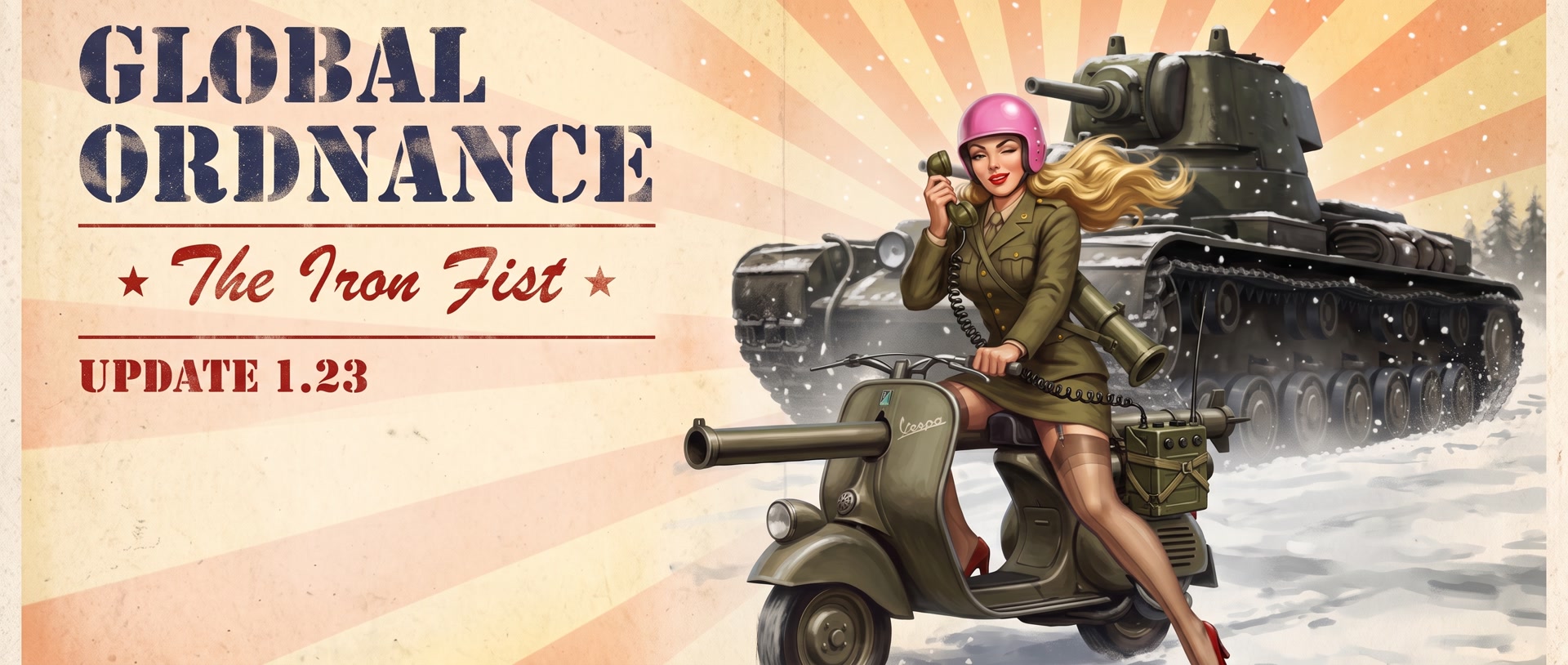
In 1956 the French really did bolt a cannon onto a Vespa. We could not leave that alone, so ours carries a bazooka. The Wasp is a scooter with a rocket launcher and a French rider who is either very brave or has not thought this through. It is cheap, needs no research, gets to the front before anything else you own, and it is the only unit in the game that can swap its main gun.
It stops, it fires, it runs. One hit kills it, so treat it like what it is: a mosquito with a punch. The rider comes as he or she: a coin flip at the factory, and the lady gets the pink helmet. Both of them scream in French.

The only unit that changes its main gun
Every other unit in Global Ordnance keeps the gun it was born with. Not the Wasp. Swap the bazooka for a Mortar and the scooter stops being a skirmisher and becomes artillery on two wheels: it lobs shells over your own line from a safe distance and never has to see what it hits.
And the mortar opens a door no other unit has. With the Mortar fitted, a fifth upgrade appears: Knockout Shells. A blinding, stunning round. Whatever it lands on stands there dazed while your tanks finish the job. Aircraft flying through the flash are blinded as well.
The rest of the kit:
- Molotov: throws fire at anything close, even on the move.
- Autoloader: more rockets, faster.
- Booby Trap: the Wasp’s wreck becomes a mine. Anything that rolls over it regrets it. And it unlocks the best button in the game.
Four slots, five upgrades, and one scooter that can be two different units. Try both builds. Then tell us which one you keep.
A booby-trapped Wasp can be sent on a one-way trip. Tap Throttle Up and the rider opens the throttle, pulls a wheelie and bails out at the last second. No target to pick: the scooter keeps going on its back wheel, straight up the road, and goes off like a mine on the first enemy it meets, or at their base. Armor does not help. We are a little too proud of this one.
And the rider? Thrown clear, he gets up, shakes it off and runs for the rear, looking back over his shoulder the whole way. Watch him go.
One more thing: the enemy has Wasps too now. They ride in with the light units, early and fast, and they bite. Keep a gun on the road.
Build $200, no research · Mortar $300 · Knockout Shells $250 (needs the Mortar) · Molotov $200 · Booby Trap $250 · Autoloader $50
06 · Hold the lineConcrete Barricade
The Tank Barricade now has a big brother. The Concrete Barricade is a solid slab of cover: it takes three hits before it falls, cracks after the second so you can see it coming, and crumbles into rubble when it goes. Rockets and bombs count double. The biggest guns on the field knock it down in one. And a Mammoth simply rolls over it.
The point is not the wall. It is what stands behind it. Units next to a Concrete Barricade get cover: they are harder to hurt, and half the shells aimed at them hit the concrete instead. Park your tanks behind one and make the enemy come to you.

Two things to know. On thin ice it sinks twice as fast as a tank, so do not build it on the lake. And it survives the bomb. More on that below.
Build $60 · Sells for $10 · No upgrades, no repairs. It is concrete.
07 · AftermathThe world remembers the bomb
Until now the Apocalypse bomber’s big one wiped the field and the field shrugged it off. Not anymore.
The flash whites out the screen. When it clears, the world is a different place. Houses, sheds and watchtowers have collapsed into rubble. Trees stand black. Fences are down. Snow turns grey, grass dies, ash keeps falling and smoke columns rise from where the buildings used to be. A scorched crater sits at ground zero. The birds stop. Somewhere a counter starts ticking, and Sabrina comes on the radio:
“Hawk… it’s quiet out there. Too quiet. Counter’s ticking. Whatever’s left, it’s ours now.”
Sabrina, after the drop
White-out, then ash. On the farm and on the snow, nothing stays the way it was.


The match goes on in the ruins. Both barricades, yours and theirs, are the only things left standing. Restart, and the world comes back.


08 · Small thingsPolish and fixes

- Birds. The first shot of every match sends a flock up out of the nearest trees, wings and all. That is when the battle starts.
- Units park closer. Formations are tighter and your tanks stop driving into each other on the way to the line.
- Hit numbers in red, everywhere, for every unit.
- Unit cards move. Open a unit’s info card and it plays a short clip of the unit doing its thing.
- The Bf-109’s guns hit a little harder.
- Who is who. Every unit now has a team glow: blue for yours, red for theirs. Easy to read even in the thick of it.
- Two tanks with upgraded guns sometimes fired shots that did nothing. Fixed.
- No more stutter at obstacles. A unit that stops for something in its way now gets going again at once.
- The Tsar and the Wasp got their info cards rewritten to match what they actually do now.
- Settings in one place. Microphone, voice engine, grid labels, motion orders and keyboard switches all live in the main-menu Settings.
- Voice knows more words. “Air strike”, “Cremator” and a hundred bits of soldier talk are understood in more accents now, and the list grows with every build.
- Tracers you can read. The big guns’ shells leave a thicker trail, so you see who is shooting at what.
- Hawk’s cards never cover the pause menu any more, and the boot camp waits while you are paused.
- Bombing runs are lighter on the phone. A scorched-earth run with nine planes used to drag the frame rate down. The explosions look the same and cost far less now.
- Sniper Tank: one shell type. Shellbangs or AP shells, not both. Once one is fitted, the other is off the table.
- Hawk and Sabrina see you out. After a win, a loss or a tie, Play and Main Menu show the same CRT portrait as the map pick.

09 · Under the hoodThe AI did its homework
You know the Adaptive AI reads how you play in real time and adjusts the fight to you. This update, it also went to school. We read what RTS veterans say out there about winning: the guides, the forum threads, the tips that get passed from player to player in Command & Conquer, Age of Mythology, Company of Heroes and StarCraft. Then we taught the AI to recognise those tactics when you use them.
Play like someone who has done this before, and the enemy will notice. Not with a popup. With a harder fight.
This is the first pass, and we were careful with it. One clever move does not make you a general, so the AI waits for a pattern before it decides you know what you are doing, and it backs off if the next wave proves it wrong. We would rather miss an expert for a minute than spoil a new player’s first evening. It will get sharper with every update.
10 · NextYour army is listening
Voice is not a gimmick we bolted on. It is the start of something. Think about what a commander does in the thick of it. A commander does not hunt for buttons. A commander talks. “Everyone, hold.” “Armor, go.” “Get the bomber up.” That is the game we are building toward, and 1.23 is the first time you can play it.
Here is where it goes next. You will tap a spot and say “there”. You will say “bookmark them” and get a whole column back later with one word. And the day a full match can be played without touching the screen at all, we will tell you. Your voice becomes the one hotkey a touch screen never had.
And when you want to learn the toys without a war on top of you, a Sandbox is coming: every unit, every upgrade, no enemy push, your pace.
So try it. Open a match, tap the mic, give one order out loud and watch twenty tanks move. Then tell us what you wanted to say and it did not understand. We read every message, and the words you send us become the orders everyone gets.
Sandbox: your war, your rules
In the next update, a Sandbox comes to the battlefield. Play it your way: unlimited money on a switch, every toy on the table, no clock on you. And when you feel like it, a dial to turn the enemy up. Your call, your pace.
The Adaptive AI keeps watching while you play. When it thinks you are ready for more, it may tap you on the shoulder with a card and offer to turn things up. Take it or leave it. It is always your call.
Two more ideas we are chasing. An aim box: tap the red aim icon, drag a red box over the enemy and let the game pick the target inside it. And stances: tell a unit how to fight, then say it out loud, “set all Ferrets to…”. No promises on those two yet. We want to feel them in our own hands first.
After that: a new era. You pick.
Global Ordnance has lived in one war since day one. The next big step is a new time: a whole new era with its own units, its own front and its own sound. Two candidates are on the table. Modern warfare: drones, main battle tanks, guided missiles, a war fought at the speed of a radio call. Or World War I: trenches, the first tanks, biplanes, mud and wire, a war where every yard costs. Which one would you fight in first?
And tell us how the jump should feel. Our own sketch: you research eight technologies in your current era, and then a prompt appears: advance to the next epoch. It costs money, it takes a moment, and when it lands your motor pool changes. New tanks, new planes, new guns, the enemy marching into the new age with you. Should it work like that, mid-match, as a decision you pay for? Or should the new era be its own front, picked from the menu before the fight? Or both? Your call, and we are listening.
Tell us. Write to support@awngames.com, leave a line in your store review, or use the Report a bug button in the game and start your message with “era:”. We count every answer, and the winner is where we go next.
11 · Honest wordsA big update, and your help
This is the biggest update we have ever shipped. Voice. Two new units. A new defence. Box selection. A world that remembers the bomb. A map with names. A new boot camp. We tested it on more phones than ever, and that much new ground still means a few bugs will have slipped through. So we put a Report a bug button right in the Settings and in the pause menu. Something broke, looked wrong or felt off? Two taps, tell us what happened, and it lands on our desk. You help us polish this thing, and together we make a game everybody loves.
Global Ordnance is made by two indie developers working from a van on the road. It stays free to play for everyone. Supporters keep the lights on and the next units, fronts and stories coming. Thank you.
▸ A new update hits every 7–14 days
Catch up on the last one: Update 1.22: a new intro, Remove Ads and a smoother front. Or browse every upgrade and every unit.
Get the next update before you open the game
Global Ordnance ships an update most weeks — new units, new mechanics, and the exact numbers that changed. Every devlog goes straight to your inbox the day it lands. No other mail, unsubscribe in one click.
Leave a Reply