
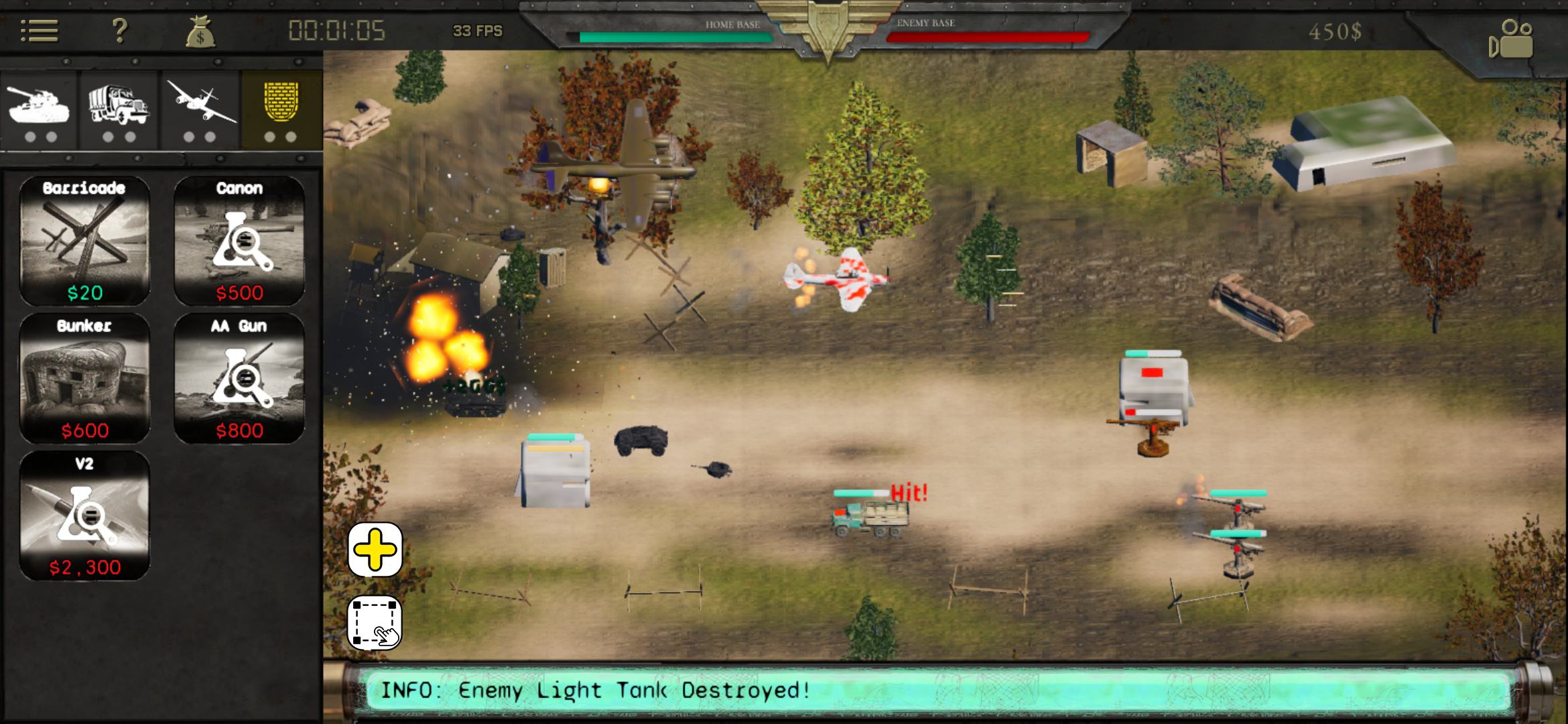
Fast Fingers, Faster Orders: New Selection Controls Are Here

PC RTS players have hotkeys. Mobile RTS players have… their thumbs. We wanted to close that gap.
So we asked. We put the question straight to RTS players: what’s your biggest problem with mobile RTS games? Two answers came back loud and clear — and today we’re tackling the first one: selection is too slow.
Enter the Hot-Tap
No keyboard? No problem. We built a multi-finger tap system that turns your screen into a command console:
- 2-finger tap → select all armored units
- 3-finger tap → select all unarmored units
- 4-finger tap → select all defense units
- Double-tap a unit → select every unit of that type on the battlefield
That’s four ways to go from “where are my tanks?” to “tanks, move out” in under a second. No menus, no fumbling — just tap and command.
What’s Next: Precision Selection
Hot-taps are great for grabbing whole squads fast, but sometimes you need to build a custom strike force. We’re now prototyping two new selection tools, tucked into small toggle buttons at the bottom-left of the battlefield:
- ➕ Add-to-Selection — toggle it on, tap individual units to build your squad one by one
- ▢ Box Select — toggle it on, drag a box across the battlefield to grab everyone inside it
Will it fully replace a keyboard and mouse? No — nothing beats a real drag-select. But with a little practice, these tools get you close enough to issue instant, precise orders without ever taking your thumb off the glass.

On Ads: Less Is the Only Move
The second complaint we heard was one we already knew was coming: players are tired of aggressive monetization in mobile RTS games. Fair. So let’s be straight about where we stand.
Our strategy hasn’t changed — every perk is unlockable through achievements, every cosmetic is free, and none of it is for sale. There’s no store, no pay-to-win path, period.
Ads only ever show on the game over, victory, or tie screens — never mid-match, never forcing you to stop playing to watch one. That said, we’re not perfect out of the gate. At launch, we let players watch an ad for a one-time instant HQ quickfix. It didn’t sit right with us, so it’s gone. And starting now, we’re enforcing a strict no more than 1 ad per match policy.
Long-term, we want ads gone entirely. As players ourselves, we know exactly how much a badly-timed ad can wreck a match. But right now, that small amount of ad revenue is what keeps this game — and its free weekly updates — alive. We’re not going to pretend otherwise, and we’re not going to sneak in more just because we could.
Truth is, this is our first time making these calls. We looked at what other mobile games do, took suggestions from vloggers and websites covering the space, and honestly, a lot of it didn’t sit well with us. So we skipped the playbook and went with the simplest rule we could live with: 1 ad per match. Deal — and it’s live starting this update.
Acknowledging Performance Issues
Let’s not sugarcoat this one: Global Ordnance runs great on higher-end phones, but older or less powerful devices tend to struggle after a while. That’s not good enough for us, and we know it.
We’re actively working on ways to cut the load, and we expect quick updates on that front. In the meantime, here’s a slightly silly workaround that actually helps: switching your display filter to Black and White in the game’s settings boosts performance. Not elegant, but it works while we fix the real problem.
We Want to Hear From You
The hot-tap system is live right now — go break it in and tell us what you think. Every change we ship starts with feedback from players like you, so keep it coming. Drop a comment right here on this post, or if you’d rather reach us directly, email support@awngames.com — we read every message.
What selection feature would make the biggest difference for your playstyle? Let us know.
Global Ordnance: The Iron Fist is a fixed-camera mobile RTS with no base building and no pay-to-win. Free on Google Play · v1.12 devlog · Every unit in the game
Get the next update before you open the game
Global Ordnance ships an update most weeks — new units, new mechanics, and the exact numbers that changed. Every devlog goes straight to your inbox the day it lands. No other mail, unsubscribe in one click.