



01
Touch
Double-tap on open ground and drag. A warm orange box follows your finger, and every ground unit inside it is yours when you lift. Then one tap to send them.
- Double-tap, drag, lift
- 2, 3, 4 fingers: a whole branch
 GLOBAL ORDNANCE
Play free
GLOBAL ORDNANCE
Play free
 Nomad DevsClub
A real-time strategy game. Built for the palm of your hand. Command your army by voice. A tribute to the classic RTS: fixed camera, no base building, tap, talk and fight.
Back the front line
One purchase, less than a coffee: support us and get rid of ads once and for all, including every upcoming update.
On Google PlayBecome a SupporterGlobal Ordnance is free to play and shows a few ads. Supporter is one optional in-app purchase that removes them for good.
A real-time strategy game on a touch screen is not a smaller version of the PC experience. It is a different one. Different, not inferior. You have ten fingers, a voice and a gyroscope, and you use them at the same time: as much as a keyboard and mouse can do, or more.
Hold the line with your thumb. Call the bombers with your voice. Nudge the flank with a tilt.
Double-tap on open ground and drag. A warm orange box follows your finger, and every ground unit inside it is yours when you lift. Then one tap to send them.
 02
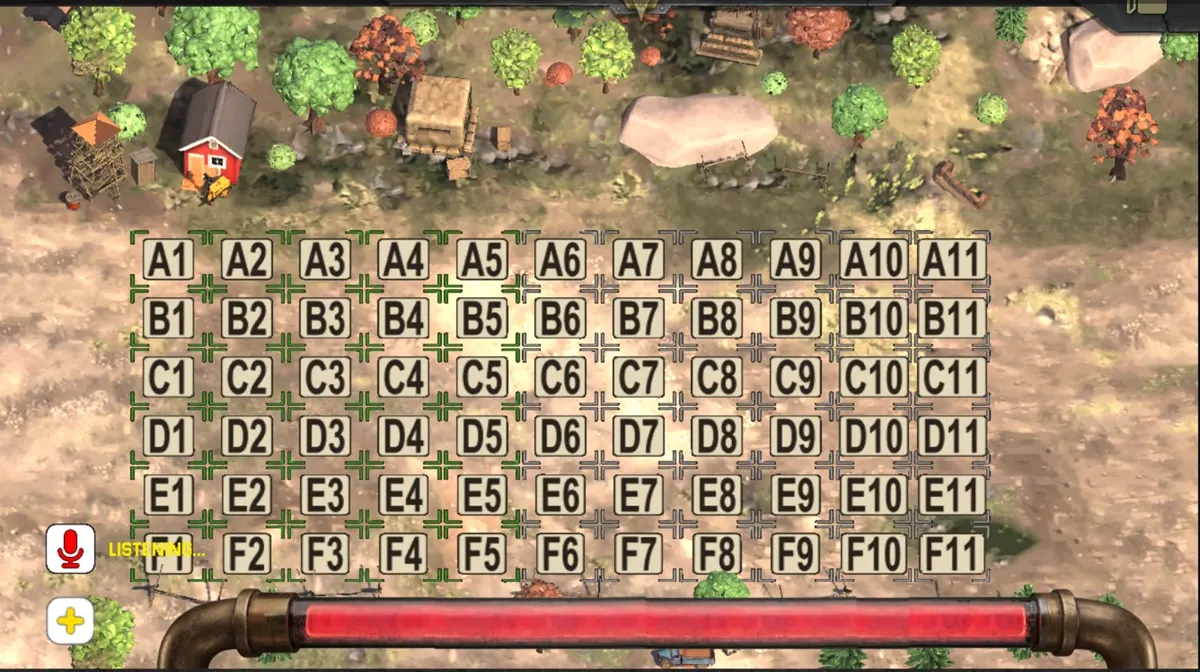
02Tap the mic and say it: "all armor, advance", "build a heavy tank", "airstrike E9". The field has an address now, A1 to F11, so every order can name a square. Your voice is the hotkey.
Your wrists have a say too. Push the right end of the phone away from you and your armor rolls forward. Pull it toward you and everyone stops. Shake it and your units pick new targets.
Give orders with your voice, tilt the phone to move your armor, call map squares by name. Plus the Tsar, the Wasp, a Concrete Barricade, and a world that remembers the bomb.
▸ Eleven devlogs and counting
Read the devlog →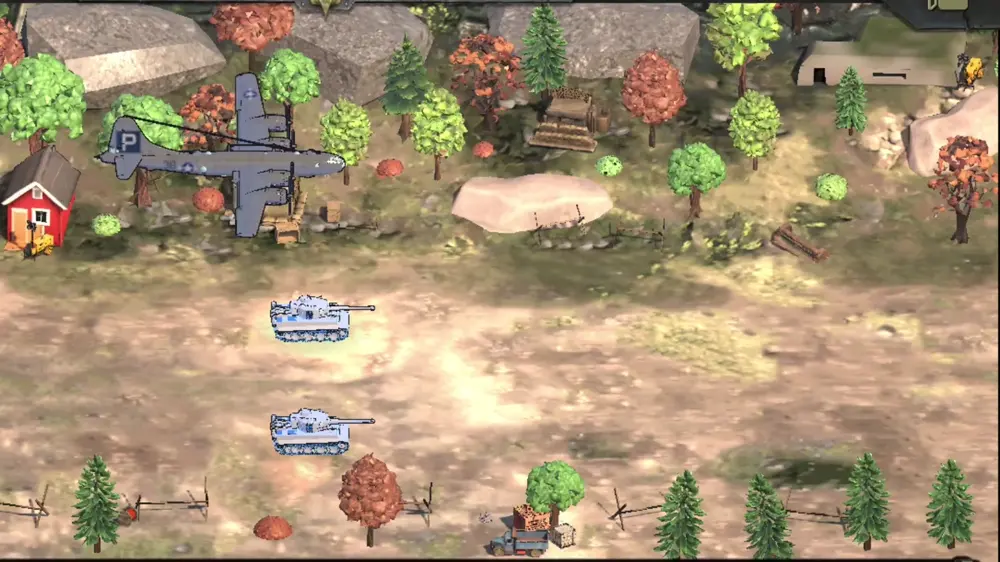
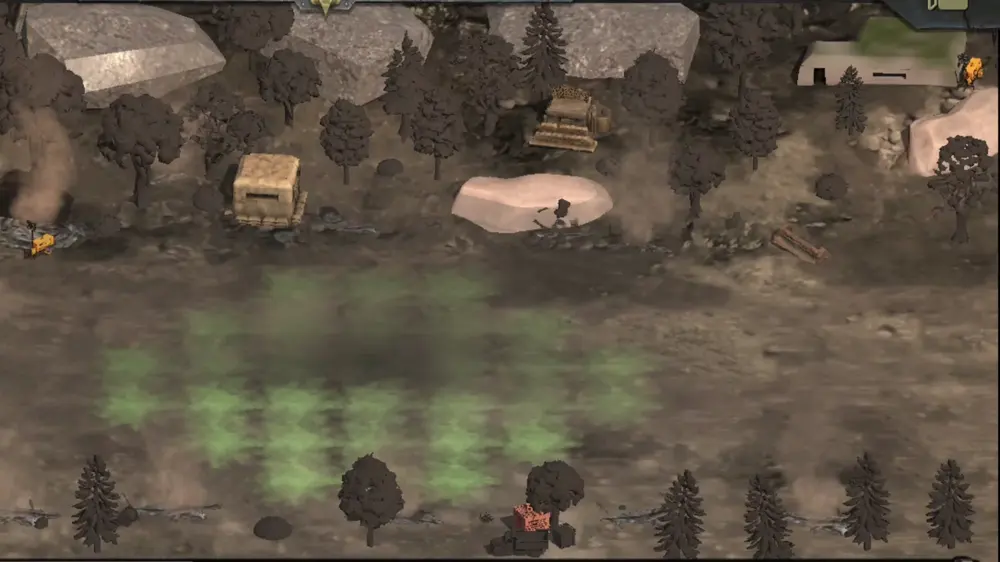
The world remembers the bomb. Houses fall, trees burn black, ash keeps falling, and the match goes on in the ruins.
 v1.22 · 11 OCT 2026A New Intro, Remove Ads and a Smoother FrontA 2:31 motion-comic intro, a voiced boot camp with Hawk and Sabrina, and a steadier front.
 v1.21 · 02 OCT 2026The Corsair and the Twin BomberTwo new planes, outlines on every unit, tracers on every shot, and guns that turn before they fire.
 v1.20 · 24 SEP 2026The Sniper and the HammerA glass cannon and a siege gun. Armor rebuilt, shadows on the map, a layout for foldables and tablets.
 v1.19 · 14 SEP 2026Half the Download746 MB down to 376 MB, and no more crash on the way back to the menu.
v1.18 · 11 SEP 2026Android 9 and UpFar more phones, and Medium graphics from 15–18 to 44–51 fps on a Galaxy S20 FE.
v1.19 · 14 SEP 2026Half the Download746 MB down to 376 MB, and no more crash on the way back to the menu.
v1.18 · 11 SEP 2026Android 9 and UpFar more phones, and Medium graphics from 15–18 to 44–51 fps on a Galaxy S20 FE.
 v1.15 · 05 SEP 2026The Performance UpdateA hidden 30 fps cap found and lifted. Code, meshes, shaders, particles, audio: everything got a pass.
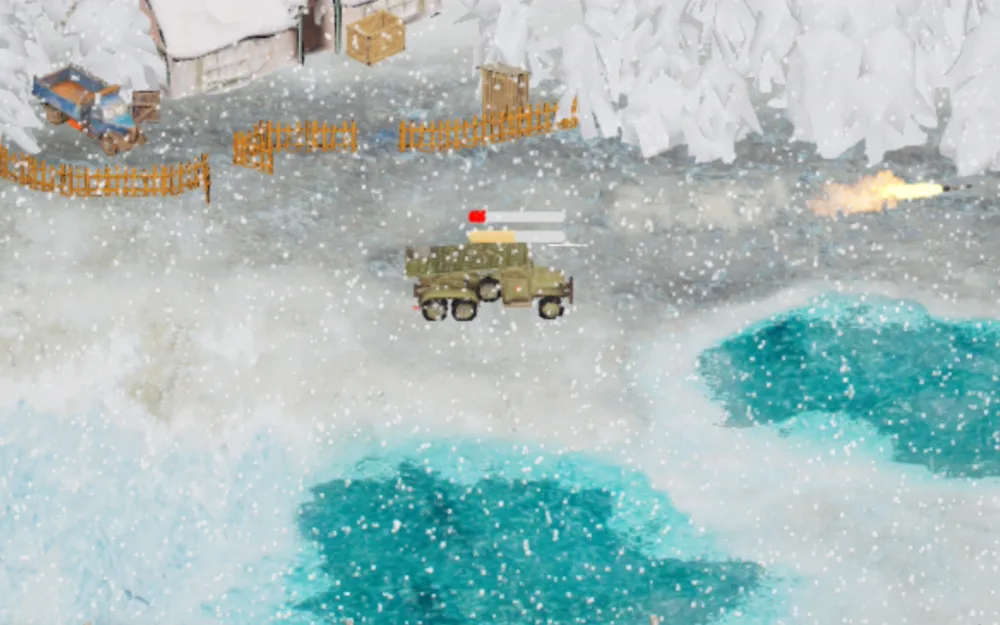
 v1.14 · 28 AUG 2026Snow Biome and Thin IceA snow front where thin ice swallows heavy armor, plus aircraft upgrades and the Fly-By run.
 v1.13 · 11 AUG 2026The Visual OverhaulA new look, Plus Selection, and units cut from 50k faces to about 10k.
 v1.12 · 04 AUG 2026The Trident and Adaptive AIThree barrels on one hull, mines laid on the march, and an enemy that learns.
 v1.11 · 26 JUL 2026Multi-Finger Selection ControlsTwo, three or four fingers grab a whole branch of your army in under a second.
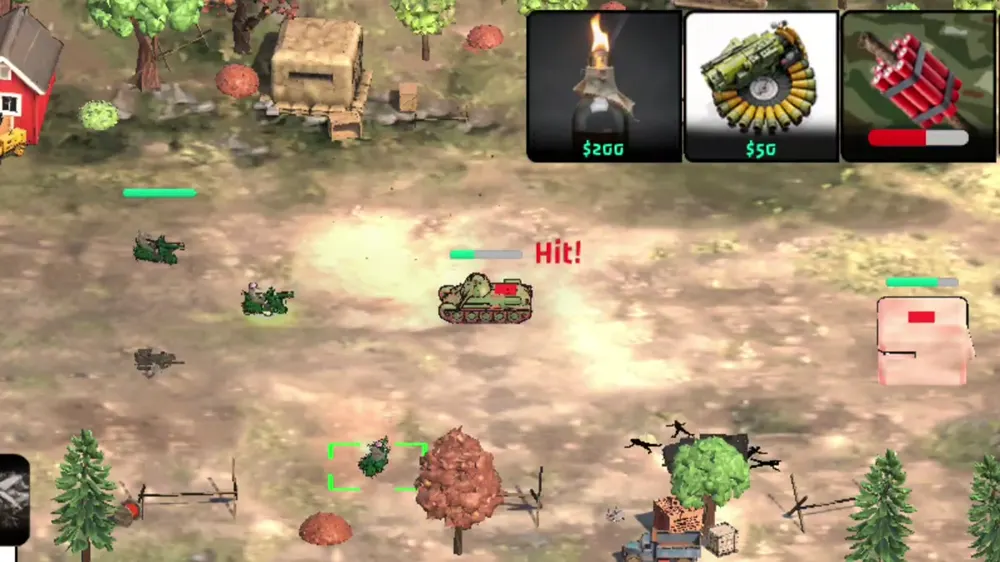
No base building, no camera wrestling. You pick the army, your fingers and your voice command it, and every wreck you leave pays for the next wave. Fight on green farmland or on the snow front, where thin ice swallows heavy armor.
 01
01Build your arsenal. Deploy with intent. Thirty-two air and ground units, from the scrappy Ferret and the Wasp scooter to the three-barrel Trident, the Hammer, the two-turret Tsar and the Apocalypse. Every unit carries its own upgrades.
 02
02Your hand is the interface. Fingers pick whole branches of your army in a single touch, a box grabs a column, and blue is always yours.
Kill-to-Earn: the wreckage you leave behind funds your next builds. Radar Trucks recruit spies who earn quietly while they stay hidden.
The game opens with a fully voiced motion comic that shows how the world went to war. Meet Hawk, Sabrina and Colonel Kratch. Then Hawk runs your boot camp himself: build your first Ferret, deploy by voice, grab a column with the box, tilt to roll it, call an airstrike.
The game you download today is not the one that shipped. Every week or two, a new piece of the front: new hands on the controls, new armor, new ground, a lighter game, a story, and now a voice.
 1.11
1.11Two fingers grab all armor, three the unarmored, four the defenses. Double-tap a unit and every one of its kind answers. A phone has no hotkeys, so the hand became one.
Read the 1.11 devlog → 1.12
1.12Three barrels on one hull. The whole body turns to aim, it lays mines on the march, and the enemy marks it for an airstrike. The Adaptive AI started reading how you play.
Read the 1.12 devlog → 1.13
1.13A new interface and new ground, and every unit cut from up to 50k faces to about 10k. Plus Selection: tap the plus, then tap units to build a squad.
Read the 1.13 devlog → 1.14
1.14A snow front with its own rule: heavy units on thin ice start to sink, and the Mammoth and the Trident go down fast. Aircraft upgrades and the Fly-By run arrive with it.
Read the 1.14 devlog → 1.15–1.19
A hidden 30 fps cap found and lifted. Medium graphics on a Galaxy S20 FE went from 15–18 to 44–51 fps, and the download fell from 746 MB to 376 MB.
Read the 1.19 devlog → 1.20
1.20A glass cannon that never misses and a siege gun with the highest HQ damage in the game. Armor rebuilt into one rating, shadows on the map, a layout for foldables.
Read the 1.20 devlog →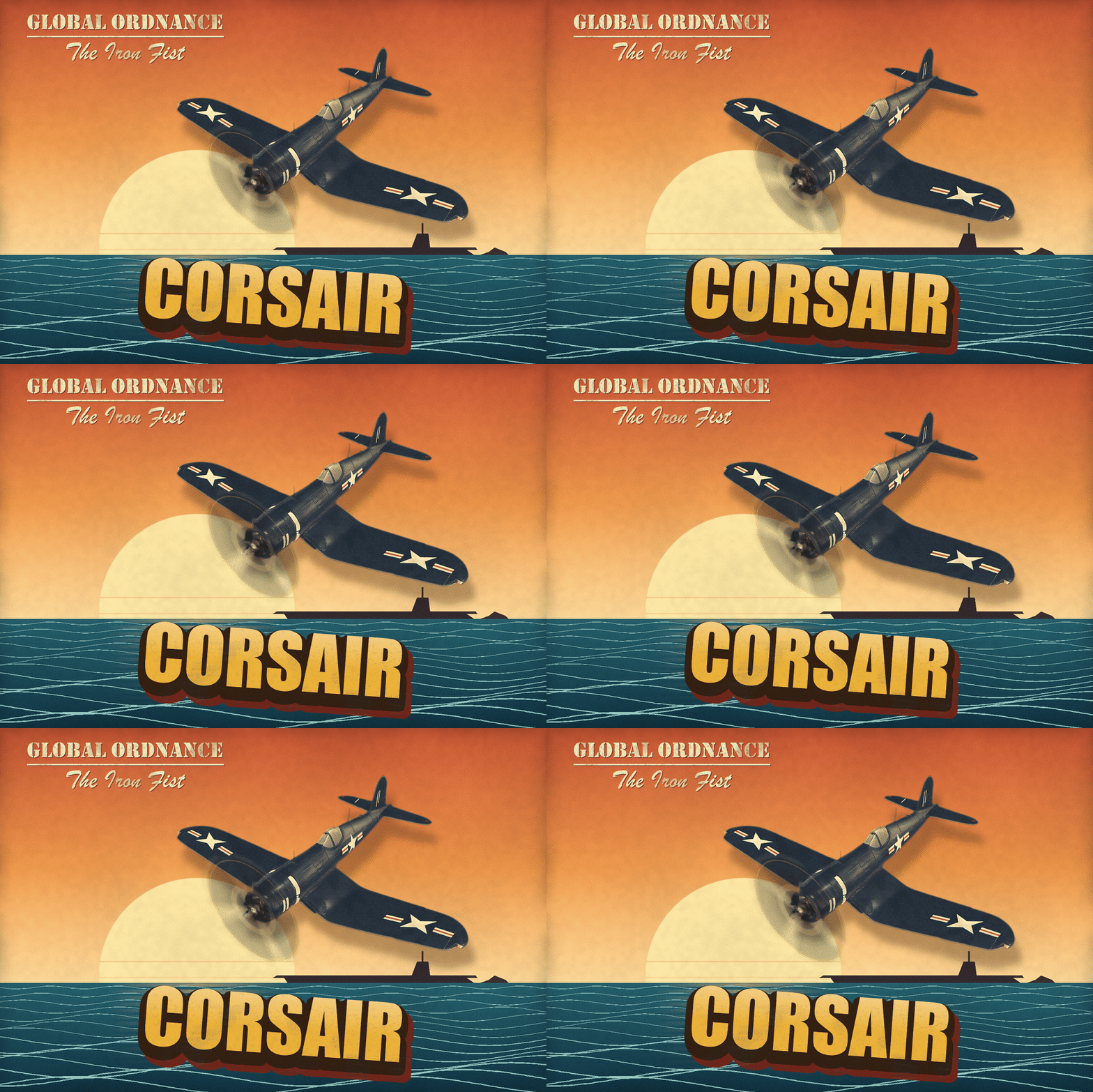 1.21
1.21Two new planes. Outlines on every unit, tracers on every shot, guns that turn before they fire. And the enemy gets your Sniper, Hammer and Trident.
Read the 1.21 devlog →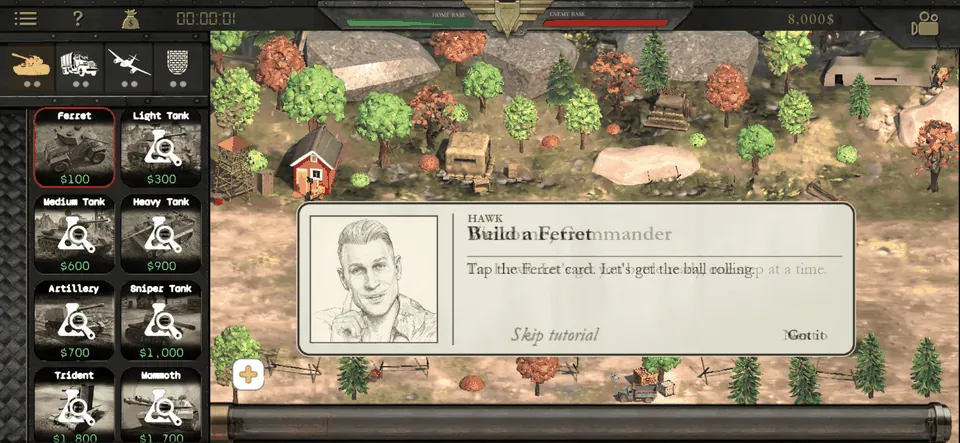 1.22
1.22A 2:31 motion-comic intro and a voiced boot camp: Hawk and Sabrina teach you the ropes. And a Supporter purchase for players who want to back the game.
Read the 1.22 devlog →Voice orders, tilt and shake, a grid from A1 to F11. The Tsar, the Wasp, concrete cover, and a world that remembers the bomb.
Read the 1.23 devlog →Fighters on station overhead: a Corsair, a Bf 109 or an Il-2, and some days a dogfight. A Twin Bomber fires its long-range missile before the target sees it coming. On the ground, a Tsar with the AA Mount shoots back. Scroll fast to open fire. Tap a plane to shoot it down.
Every unit has its own hand-drawn field card, and every one of them is alive. Tap any card to open it: clip, voice lines, stats and upgrades.
EVERY UNIT ON ONE PAGE →EVERY UPGRADE →
Two turrets, and each picks its own target. The only tank in the game that can shoot back at aircraft.
Four machine guns and a navy paint job. Twin Rockets fire two per pass, one under each wing.
One oversized gun and the highest HQ damage in the game, twice the Mammoth's. The whole hull turns to aim.
The last word in any argument. Save up, call it in, and nothing stops it.
Some cards fight back: try the Wasp, Concrete Barricade, Rocket Bunker, Apocalypse, Detonator, Anti-Air Gun, Interceptor, Airship and the Hammer Tank.
Armor. Ferret to Mammoth, plus the Sniper, Hammer, Trident and the two-turret Tsar.
Unarmored. Recon, supply, radar spies, the Detonator, the Cremator and the Wasp.
Air. Fighters, bombers, a Strike Jet, an Airship and the Apocalypse.
Defense. Tank and concrete barricades, cannon, rocket bunkers, AA guns and the V2.
An experimental super-heavy tank equipped with twin barrels. Keep scrolling to see what is inside.
Command authorizes field retrofitting for nearly all active units. Strategic upgrades provide critical performance spikes, including augmented engine output, expanded ordnance capacity, and reinforced composite plating.
1 / 68
The Adaptive AI reads how you play in real time and changes its tactics to answer you. No inflated stats, no artificial accuracy. You beat it by outthinking it.
> INTERCEPTED · ENEMY HQ CHANNEL
> ...
AWN Games is Alex and Viktorija, a married couple who build Global Ordnance on the road, travelling across the US in a converted van. No studio, no publisher, no office. Just the two of them and a game they wanted to play.
On the road they go by Nomad Devs: follow the van, the builds and the bugs.
READ THE STORY → @NOMADDEVS.CLUBFree on Android and iOS, with a few ads. Hate ads? One Supporter purchase, less than a coffee, gets rid of them once and for all, including every upcoming update.
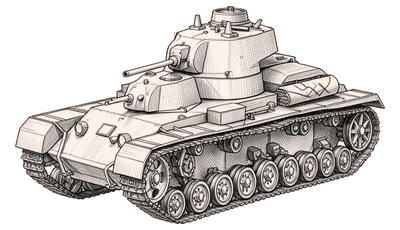
$1,000
The heaviest thing in your motor pool: a hull as tough as the Mammoth’s, a big 76 mm gun on top and a fast-firing 45 mm gun below it. Each turret picks its own target.
TIP: Research costs $1,600. It is slow and expensive, and once it reaches the line it does not leave.
Cost correct as of update v1.23
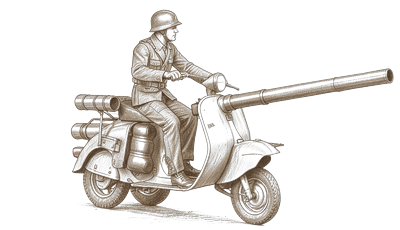
$200
A scooter with a rocket launcher and a rider who is either very brave or has not thought this through. Cheap, needs no research, and the only unit in the game that can swap its main gun.
TIP: A booby-trapped Wasp unlocks Throttle Up: a one-way charge on the back wheel that goes off like a mine on the first enemy it meets, or at their base.
Cost correct as of update v1.23
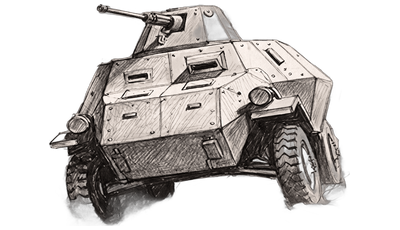
$100
The Ferret is a premier early-game armored vehicle. Its high top speed and fast firing gun configuration make it a formidable unit.
TIP: Ferrets are most effective in groups when engaging enemy unarmored units, though they struggle against fortified defensive positions and heavy tanks.
Cost and stats correct as of update v1.21
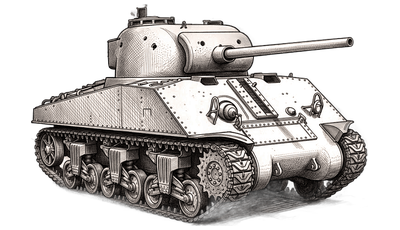
$200
An affordable, reliable, and adaptable Light Tank is the backbone of the army. Its low cost and high speed make it a good choice against light-armored enemy units.
TIP: You can install Top Armor and Sack Barricades upgrades simultaneously.
Cost and stats correct as of update v1.21
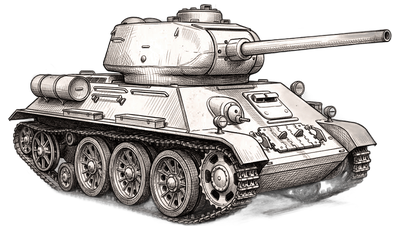
$400
Revolutionary balance of speed and power. Its signature sloped armor maximizes protection by deflecting shells, making it one of the most influential tanks in history.
TIP: Versatile and well-balanced across all combat stats. A reliable choice for any major engagement. Optimized for engaging light armor and fixed positions.
Cost and stats correct as of update v1.21
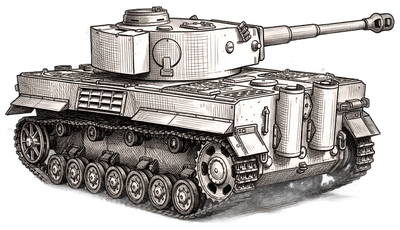
$600
A heavy-weight predator designed to crush enemy units and defences. Clad in thick, high-quality steel and armed with the legendary 8.8cm gun.
TIP: While devastating against massed inferior forces, the heavy tank lacks the mobility required for time-sensitive objectives or rapid-response operations.
Cost and stats correct as of update v1.21
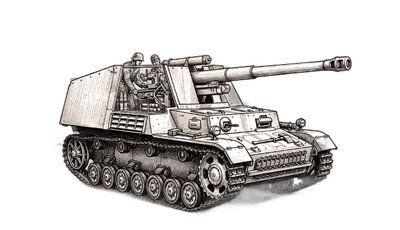
$550
A lumbering artillery piece that delivers devastating strikes from afar. By the time the enemy hears the whistle of the shells, it is already too late.
TIP: Refit Scope upgrade allows the Stationary Artillery to target enemy units at longer distances.
Cost and stats correct as of update v1.21
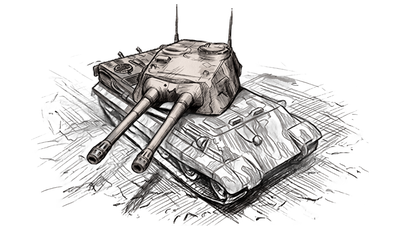
$1,150
An experimental super-heavy tank equipped with twin barrels. With extreme firepower and rugged armor Mammoth will destroy any ground unit.
TIP: Mammoth’s Deflector upgrade allows it to intercept incoming missiles.
Cost and stats correct as of update v1.21
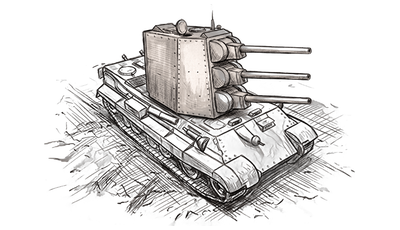
$1,200
An experimental heavy tank equipped with triple vertically-stacked barrels. With devastating salvo firepower and heavy plating, Trident will pulverize enemy armor.
TIP: Trident is big enough to trample almost any ground enemy.
Cost and stats correct as of update v1.21
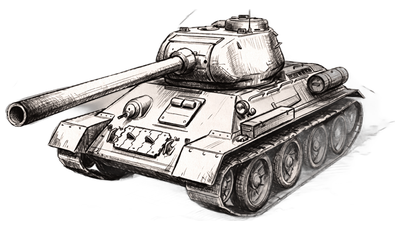
$700
Built for maximum range and lethal precision. Its extended, high-velocity cannon punches cleanly through enemy plating long before they enter firing range.
TIP: Like Artillery, the Sniper Tank cannot fire at targets that are too close, though it can engage at half that distance. Keep it behind your line and let it open fire first. It reloads even with no target in sight, so it always opens with a ready shot.
Cost and stats correct as of update v1.21
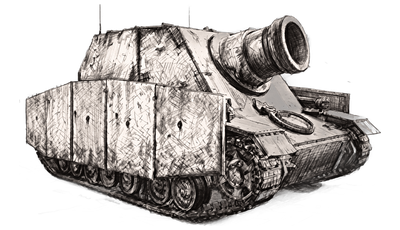
$1,800
A siege platform built around one oversized gun. It fires rarely, but a single shell flattens whatever it lands on — and nothing in the arsenal hits an enemy HQ harder.
TIP: Unlike Artillery, the Hammer Tank has no minimum range — it can fire at targets right on top of it. Park it where it can reach the enemy HQ.
Cost and stats correct as of update v1.21
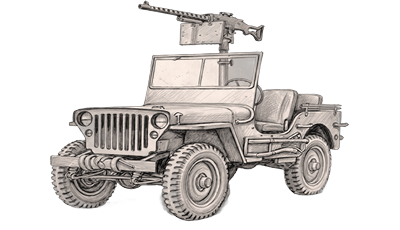
$75
The Recon SUV serves as a critical intermediary between heavy logistics and tactical mobility, delivering high-speed, all-terrain recon transport for quick operations.
TIP: Deploy smoke canisters to provide visual obscuration. The Recon SUV’s agility allows it to draw fire while remaining an elusive target.
Cost and stats correct as of update v1.21
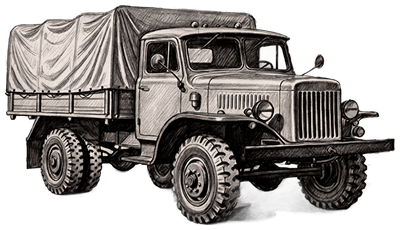
$300
A mobile logistical hub, replenishing the HP and ammo of nearby friendly units. It can also deploy Anti-Armor mines to halt enemy vehicles, and radioactive Nuclear mines to deal prolonged damage.
TIP: Place as many mines as you can. Friendly mines detonate only when enemy units drive over them.
Cost and stats correct as of update v1.21
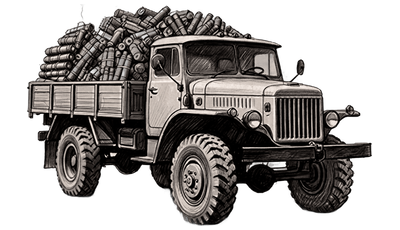
$500
A high-risk, high-reward mobile explosive designed for pure destruction. Driven directly into hostile lines to detonate and inflict massive area-of-effect damage.
TIP: Keep the Detonator clear of friendly units at all times. Volatile internal components may trigger a premature explosion if the vehicle takes enemy fire.
Cost and stats correct as of update v1.21
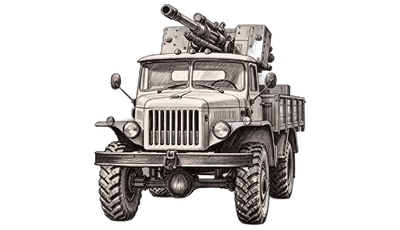
$500
By outfitting a standard cargo truck with a light flak cannon, you create a highly mobile anti-aircraft platform.
TIP: While less powerful than its stationary equivalent, the Anti-Air Truck compensates with superior battlefield mobility.
Cost and stats correct as of update v1.21
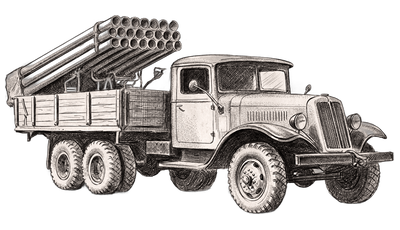
$900
Equipping a standard cargo chassis with a rocket battery transforms it into a devastating mobile artillery platform.
TIP: Can fire while moving.
Cost and stats correct as of update v1.21
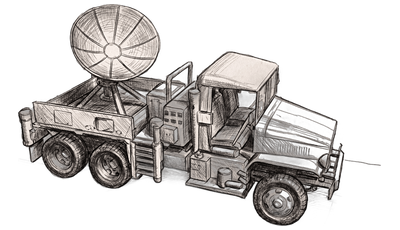
$700
An unarmed, unarmored mobile unit. It triggers air intercept missions and recruits spies for a steady trickle of income — but it is completely defenseless.
TIP: Radar units lack defensive armament and armor plating. Deploy them in the rear echelons and ensure they are screened from enemy incursions.
Cost and stats correct as of update v1.21
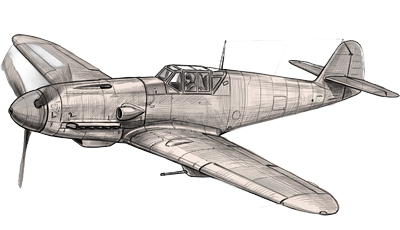
$400
Versatile multi-role aircraft moderately efficient against air and ground threats. Features nose-mounted machine guns for direct engagement.
TIP: Interceptors excel at picking off low-health targets, as they typically lack the burst damage to take down a full-HP unit solo. Best usage: intercept enemy aircraft or engage ground forces approaching your HQ.
Cost and stats correct as of update v1.21
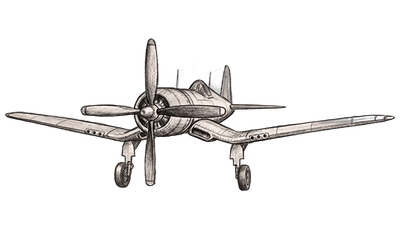
$850
A carrier-born naval fighter: four wing-mounted machine guns, a big radial engine and hardpoints for a pair of rockets. Fast in the dive and forgiving in the turn.
TIP: With the Twin Rockets upgrade the Corsair fires two rockets per pass, one from under each wing, enough to finish off damaged armor. Use it to hit ground forces closing on your HQ.
Cost and stats correct as of update v1.21
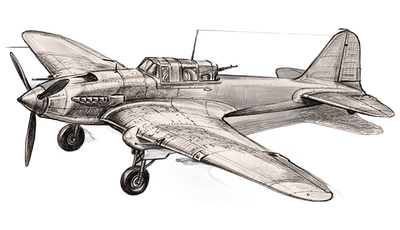
$850
A multi-purpose attacker effective against air and ground targets alike. Equipped to repel enemies during both head-on and tail-end engagements.
TIP: Light Bombers excel at destroying unarmored targets and artillery. They remain viable against armored units, though their single-bomb payload is usually insufficient for a one-shot kill.
Cost and stats correct as of update v1.21
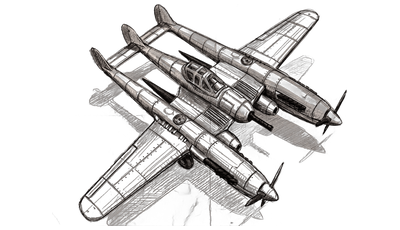
$1,550
A sleek twin-engine fighter-bomber. Fast but expensive, it fires a long-range missile, or two once upgraded, from beyond its target’s sight, striking ground positions before they ever know it’s there.
TIP: The Twin Bomber opens every run with a long-range missile fired well short of the target, so slow armor rarely gets a shot back. Buy 2x Missiles to double that opening strike, and keep it clear of AA guns. It is fast, not tough.
Cost and stats correct as of update v1.21
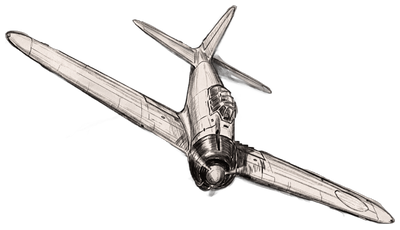
$350
A specialized strike aircraft for kamikaze missions. After exhausting its machine-gun, the pilot maneuvers the plane into a terminal collision with a fiery end.
TIP: The Zero is a single-use aircraft best deployed against high-tier ground targets. If its designated target is destroyed or leaves the battlefield before impact, the aircraft will return to base.
Cost and stats correct as of update v1.21
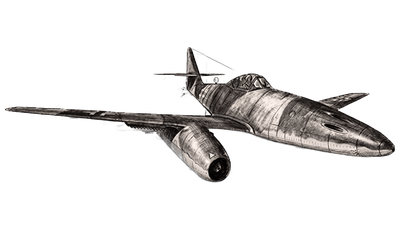
$1,400
A military jet. While less maneuverable than piston planes, its superior speed, heavy guns, and a bomb make it lethal against air and ground units.
TIP: Strike jets are equipped with rockets for air-to-air combat and high-damage ground-attack capabilities. A deployed Radar Truck is required for intercept missions.
Cost and stats correct as of update v1.21
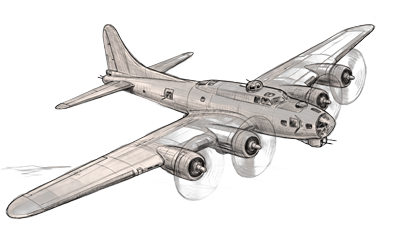
$1,850
A slow but nearly indestructible strategic asset, the Heavy Bomber uses a massive bomb payload and 360-degree machine gun coverage to dominate the battlefield.
TIP: The Heavy Bomber excels against multiple targets aligned in a row, maximizing its carpet-bombing potential.
Cost and stats correct as of update v1.21
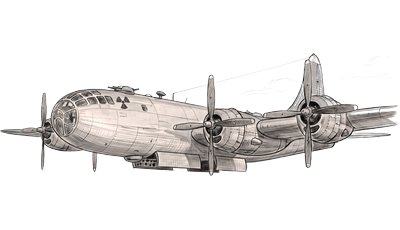
$2,500
An experimental, long-range nuclear plane engineered for absolute dominance. It cannot be intercepted. Once deployed, it wipes out all enemy ground units across the entire level.
TIP: Apocalypse is indestructible.
Cost and stats correct as of update v1.21
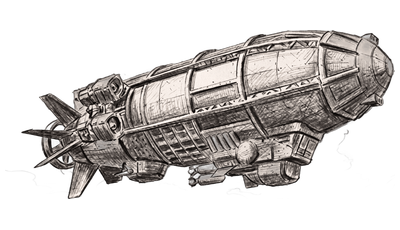
$2,000
A massive airborne fortress boasting the highest defense stats in the theater. Its sheer mass makes it an aerial juggernaut, instantly killing any aircraft on collision. Its reinforced hull, with armor protection raised by 65%, is sturdy enough to withstand a direct impact from a large airplane.
TIP: If still alive, the Airship will depart the battlefield when its ammo is depleted. It can’t be reused, though.
Cost and stats correct as of update v1.21
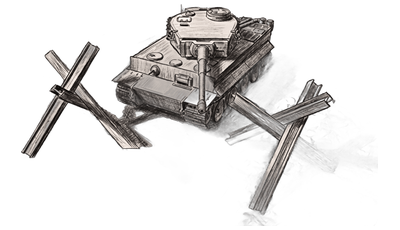
$20
A passive defensive structure. It obstructs heavy armor and funnels enemy movement into designated fire zones. It must be destroyed before proceeding.
TIP: Can’t be repaired.
Cost and stats correct as of update v1.21
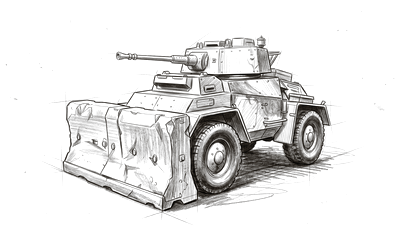
$60
A solid slab of cover. It takes three hits before it falls and crumbles into rubble when it goes. Units next to it are harder to hurt, and half the shells aimed at them hit the concrete instead.
TIP: Rockets and bombs count double, and a Mammoth simply rolls over it. On thin ice it sinks twice as fast as a tank.
Cost correct as of update v1.23

$300
The stationary cannon serves as a durable, fixed-position artillery piece, offering extensive range and significant firepower.
TIP: Rear-line deployment recommended. Utilize maximum range to provide overarching fire support across the theater.
Cost and stats correct as of update v1.21
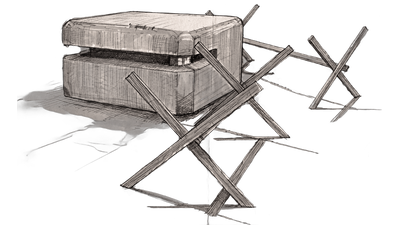
$600
Bunkers provide a fortified position for rocket troops to garrison and rain fire upon advancing enemy forces.
TIP: Equip the bunker with a booby trap to ensure it remains a lethal threat long after it has been breached or leveled.
Cost and stats correct as of update v1.21
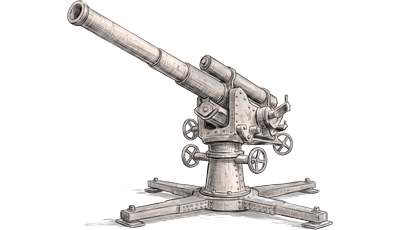
$400
Stationary Anti-Air Battery outclasses similar purpose mobile units in raw power. Essential for denying enemy air superiority.
TIP: Vulnerable to ground assault. Deploy behind front-line defenses to ensure sustained air-denial capabilities.
Cost and stats correct as of update v1.21
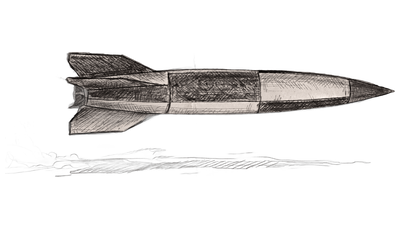
$1,000
Impervious to interception, the V2-class ballistic missile is a guaranteed strike, delivering catastrophic damage upon impact.
TIP: Prohibitively expensive. Not for mass deployment. Reserved for the immediate, absolute elimination of key hostile threats.
Cost and stats correct as of update v1.21